


Update your website: boost leads and customer engagement
A website update sounds straightforward until you realize that a mishandled redesign can wipe out 60-70% of your traffic almost overnight. That kind of loss is not a minor setback for a small business. It can mean months of recovery, lost leads, and real revenue damage. The good news is that most of those risks are avoidable when you approach your update with a clear process, the right priorities, and an honest look at what your site is actually doing for your customers right now.
Table of Contents
- When should you update your website?
- Steps for a successful website update
- Messaging improvements that drive engagement
- Common pitfalls and how to avoid them
- Enhance your website with expert guidance
- Frequently asked questions
Key Takeaways
| Point | Details |
|---|---|
| SEO must be protected | Always migrate 301 redirects and metadata to prevent major traffic losses during updates. |
| Incremental wins beat big leaps | Smaller, ongoing improvements reduce risk and deliver measurable results faster than full redesigns. |
| Messaging drives leads | Clear value propositions, strong CTAs, and personalization can double your website’s conversion rates. |
| Track results post-launch | Monitor your updated site for 90 days to catch issues and optimize messaging and performance. |
When should you update your website?
Not every website problem calls for a full rebuild. That distinction matters more than most business owners realize, because a full redesign carries real risks: SEO disruption, unexpected costs, and timelines that stretch far beyond the original plan. Before committing to either path, it helps to look at what the data is telling you.
Signs that your site may need structural attention include:
- Load times above 4 seconds, which push visitors away before they read a single word
- Broken mobile layouts that make navigation frustrating on phones and tablets
- CMS limitations that prevent you from making basic content changes without a developer
- Conversion rates that have been flat or declining for more than two consecutive quarters
- Messaging that no longer reflects your current services or audience
If your site has one or two of these issues, an incremental refresh is almost always the smarter move. Redesign only when structural issues exist, otherwise prefer targeted improvements that preserve what is already working. This approach protects your search rankings, costs less, and delivers results faster.
“The most expensive website update is the one that destroys the SEO equity you spent years building.”
Pro Tip: Before deciding between a refresh and a full redesign, pull three months of analytics data. Look at bounce rate, time on page, and conversion rate by page. Those numbers will tell you where the real problems are hiding.
When you do make changes, clear website messaging should be the anchor of every decision. Aesthetics can be adjusted incrementally. Messaging shapes whether a visitor stays or leaves. Understanding your website redesign options before committing to a direction will save you significant time and money.
Steps for a successful website update
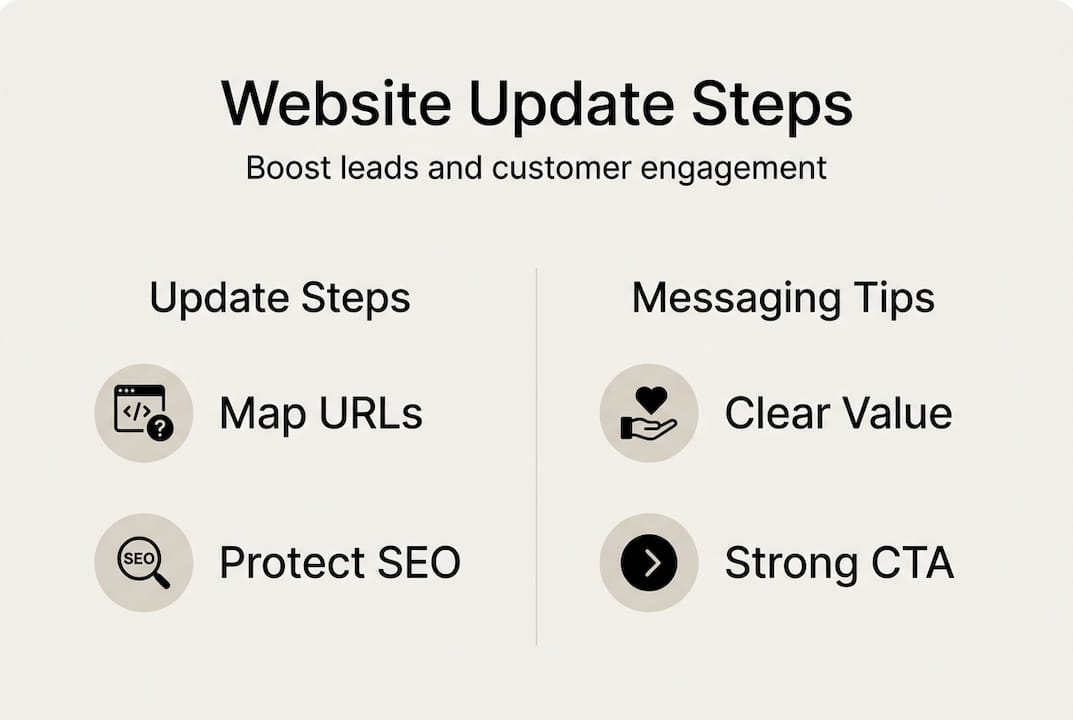
Once you have clarified the scope, a structured process is what separates updates that generate results from ones that create new problems. Auditing performance, setting goals, preserving SEO, and monitoring post-launch are the four pillars every small business update should rest on.
Here is a practical sequence to follow:
- Audit your current performance. Document your baseline: traffic by page, bounce rates, lead form completions, and keyword rankings. You cannot measure improvement without a starting point.
- Set specific, measurable goals. Vague goals produce vague results. Aim for something concrete, like a 30% increase in lead form submissions within 90 days of launch.
- Map your site architecture before touching anything. Know which URLs exist, which pages matter most for SEO for small businesses, and how internal links connect your content.
- Implement 301 redirects for every changed URL. This is non-negotiable. Missing redirects are one of the fastest ways to lose search rankings permanently.
- Preserve metadata and on-page SEO elements. Title tags, meta descriptions, and header structures should be migrated carefully, not rewritten without purpose.
- Monitor results for at least 90 days post-launch. Traffic fluctuations in the first few weeks are normal. Sustained drops after 30 days signal a problem that needs attention.
Pro Tip: Use a spreadsheet to map every existing URL to its new destination before launch day. It takes an hour to build and can save weeks of recovery work.
The table below compares the two main approaches to help you choose the right path:
| Factor | Incremental refresh | Full redesign |
|---|---|---|
| SEO risk | Low | High |
| Cost | Lower | Higher |
| Timeline | Weeks | Months |
| Best for | Messaging, speed, CTA fixes | Structural or platform issues |
| Lead gen impact | Fast, measurable | Delayed, harder to isolate |
If your content itself needs work alongside the structural update, a content improvement service can help you address both messaging quality and SEO value at the same time.
Messaging improvements that drive engagement
Technical improvements create the foundation, but messaging is where most sites either earn a lead or lose one. Visitors decide within seconds whether your site speaks to their problem. If your homepage does not answer “what do you do, who is it for, and why should I trust you” in the first visible section, most people will leave.
Effective messaging updates focus on these areas:
- Value proposition above the fold. Your opening statement should name the problem you solve and who you solve it for. Clarity here builds immediate trust.
- Benefit-focused headlines. Replace feature descriptions with outcome statements. “We build websites” is a feature. “Get more leads from your website in 90 days” is a benefit.
- Strong, specific calls to action. “Learn more” is weak. “Get your free messaging audit” tells the visitor exactly what happens next.
- Trust signals near CTAs. Testimonials, case study references, and client logos placed close to your call to action reduce hesitation at the moment of decision.
- Personalization based on user intent. Personalized messaging generates 2x revenue compared to broad campaigns, and 71% of consumers expect it from the brands they engage with.
The data on personalization is hard to ignore. When your messaging reflects what a specific visitor is looking for, rather than speaking to everyone at once, engagement rises sharply. This does not require complex technology. It starts with understanding your audience segments and writing distinct messaging for each one.

| Messaging element | Weak version | Strong version |
|---|---|---|
| Headline | “Welcome to our website” | “More leads from your website in 90 days” |
| CTA | “Contact us” | “Get your free messaging audit” |
| Value prop | “We offer marketing services” | “We fix the messaging that’s costing you leads” |
| Trust signal | None near CTA | Client logo + one-line result statement |
A/B testing your headlines and CTAs is one of the highest-return activities you can do after launch. Even small wording changes can shift conversion rates meaningfully. Pair your on-site improvements with stronger website messaging for lead gen and consider how your email messaging reinforces the same story across channels. Consistent messaging across your site and email builds the kind of familiarity that converts visitors into customers over time. Explore lead generation strategies that align with your updated site structure for the best results.
Common pitfalls and how to avoid them
Understanding best practices is valuable, but recognizing the mistakes that derail most updates is what keeps your project on track. These are the patterns that show up repeatedly, and each one is preventable.
- Prioritizing aesthetics over conversions. A beautiful site that does not guide visitors toward action is a liability, not an asset. Design should serve the conversion path, not compete with it.
- Neglecting mobile optimization. More than 60% of local searches happen on mobile devices. If your updated site is not fully functional on a phone, you are losing leads before they even read your offer.
- Skipping baseline data collection. Without pre-update benchmarks, you cannot prove whether the changes worked. Neglecting baseline data causes 20-40% traffic drops that go undetected until the damage is significant.
- Missing SEO migration steps. Redirects, metadata, and internal link structures need to be handled deliberately. Skipping these steps is one of the most common causes of post-launch ranking losses.
- Ignoring post-launch monitoring. Most teams celebrate launch day and move on. The real work is watching what happens in the 90 days that follow and adjusting based on what the data shows.
“Incremental site updates consistently outperform full redesigns for small businesses because they allow for faster testing, lower risk, and continuous improvement without disrupting what already works.”
Pro Tip: Set a calendar reminder for 30, 60, and 90 days after launch. At each checkpoint, review your baseline metrics against current performance. This rhythm catches problems early and confirms what is working.
Protecting your SEO during updates is not optional. It is the difference between a site that grows after launch and one that spends months recovering. If your content also needs a structural review, a content audit service can identify gaps before they become ranking problems.
Enhance your website with expert guidance
The strategies in this article give you a clear framework for approaching your website update with confidence. Knowing what to fix is the first step. Having the right support to fix it well is what turns a plan into measurable results.
At Stonington Media, we work directly with small business owners to identify where their website messaging is breaking down and what to do about it. Whether you need a full sales messaging guide to sharpen your homepage, a review of your broader messaging strategy, or a focused look at how SEO for small businesses applies to your specific situation, we have structured resources designed to move you forward. The goal is always the same: clearer messaging, stronger leads, and a website that actually works for your business.
Frequently asked questions
How often should a small business update its website?
Annual incremental updates are recommended for most small businesses, while full redesigns are typically only necessary every 2 to 4 years unless a structural or platform issue forces the change sooner.
What is the biggest risk when updating a website?
Failing to protect SEO through proper 301 redirects and metadata migration is the most common and costly mistake, with traffic losses reaching 60-70% in poorly managed updates.
How do you improve website messaging for lead generation?
Start with a clear value proposition above the fold, use benefit-focused headlines, and place strong CTAs near trust signals. Personalized messaging generates 2x revenue compared to generic campaigns, making audience-specific copy one of the highest-return improvements you can make.
Should you do a full redesign or incremental updates?
Incremental improvements are safer for most small businesses because they preserve SEO equity, cost less, and allow you to test changes before committing to a full rebuild. Reserve full redesigns for genuine structural or platform limitations.
Recommended


Additional Reading:
- What is professional screenplay coverage (and do you actually need it?)
- What is professional screenplay coverage, really?
- How to Know If Your Screenplay Concept Is Strong Enough
- Why Most Second Acts Collapse (And How Coverage Detects It)
- How Professional Readers Evaluate Character Arcs
- Is Your Script Marketable?
Indexes: