


Optimize your Google Business Profile for more leads
TL;DR:
- Accurate primary categories and detailed services significantly improve local search ranking.
- Completing all profile fields and maintaining NAP consistency boosts visibility and customer trust.
- Regular review management and quarterly profile audits sustain long-term local search performance.
Your Google Business Profile is one of the most direct lines between your business and a local customer actively searching for what you offer. When that profile is incomplete, miscategorized, or inconsistent, Google quietly pushes it down the results page, and those customers find someone else. The difference between a profile that generates steady leads and one that sits invisible is rarely dramatic. It comes down to a handful of specific, fixable details. This guide walks through each of those details in a logical order, from category selection to citation accuracy, so you can stop guessing and start making changes that actually move the needle on visibility and customer contact.
Key Takeaways
| Point | Details |
|---|---|
| Primary category matters most | Choosing an accurate, specific business category drives Google visibility more than any other factor. |
| Profile completeness boosts leads | Businesses with fully filled profiles and 50+ photos see dramatic increases in customer directions and contacts. |
| Review velocity beats volume | Regular new reviews and quick responses make your business more prominent and trusted in local search. |
| Consistency prevents ranking drops | Matching your name, address, and phone across all profiles and directories protects rankings and avoids confusion. |
| Avoid keyword-stuffing and shortcuts | Don’t add extra keywords to your business name—Google penalizes this and strict policies apply in 2026. |
Pinpointing your primary category and core services
Now that you’ve seen why a complete profile matters, start by confirming your core business category and services. This single decision carries more weight than most business owners realize. The primary category is the most important optimization factor in local ranking studies, weighted higher than any other profile element. If you choose a broad or slightly inaccurate category, your profile loses relevance before a potential customer even sees your name.
The goal is specificity. A plumber should not select “Contractor” when “Plumber” exists. A family dentist should not default to “Health” when “Dentist” is available. Google uses your primary category to determine which searches your profile is eligible to appear in. Choosing the wrong one is like shelving a cookbook in the mystery section. It is there, but no one looking for it will find it.
When you log in to your profile manager, review your current primary category with fresh eyes. Ask whether it describes your most common customer request, not your broadest possible service range. Then consider these steps:
- Select the single most specific category that matches your primary service
- Add secondary categories only for services you actively offer and want to rank for
- Review competitor profiles in your area to see which categories top-ranked businesses use
- Make one change at a time and monitor results for two to four weeks before adjusting further
Here is how primary and secondary categories compare in terms of their ranking impact:
| Category type | Ranking influence | Best practice |
|---|---|---|
| Primary category | Very high | Most specific match to core service |
| Secondary categories | Moderate | Only add for active, real services |
| Business name keywords | None (risk) | Never add keywords to your name |
Beyond category selection, your services list adds another layer of relevance. Google reads the services you list and matches them to search queries. A landscaping company that lists “lawn aeration,” “seasonal cleanup,” and “irrigation installation” separately will surface for more specific searches than one that simply lists “landscaping.” Aim for five to twenty services with short, clear descriptions that include the locations you serve where relevant.
Understanding these local SEO factors helps you see why category and service precision matter so much. Google’s relevance signals, which include categories and services, account for roughly 35% of local ranking weight, with your overall Google Business Profile contributing 25 to 32% of total local search influence.
Pro Tip: Never add keywords to your business name field. It violates Google’s guidelines and can trigger a profile suspension that removes you from Maps entirely until the issue is resolved.
Completing every profile field for maximum visibility
Once your primary category is correct, it’s time to ensure every detail supports maximum Google visibility. Think of your profile as a form that Google scores for completeness. The more fields you fill in accurately, the more confident Google becomes that your business is legitimate, active, and worth showing to searchers.
Complete profiles generate 156% more visibility in Maps, and businesses with 50 or more photos see 520% more direction requests than those with fewer images. Those are not incremental gains. They represent the difference between being found and being invisible.
Here is a numbered checklist of the fields that matter most:
- Business name: Use your real, legal business name with no added keywords
- Address: Enter your exact address as it appears on official documents
- Phone number: Use a local number, not a tracking number that changes frequently
- Hours: Include regular hours, holiday hours, and special closures
- Business description: Write up to 750 characters; focus on what you do, who you serve, and what makes you different
- Services list: Add five to twenty or more specific services with descriptions
- Attributes: Check all that apply, such as “women-owned,” “wheelchair accessible,” or “free Wi-Fi”
- Photos: Upload at least 50 images, including your exterior, interior, team, and work examples
NAP consistency, meaning your Name, Address, and Phone number, must match exactly across every place your business appears online. A slight variation, like “St.” versus “Street” or a missing suite number, creates a signal conflict that suppresses your ranking. We cover this in more detail in the next section, but it starts here with getting your profile details precisely right.
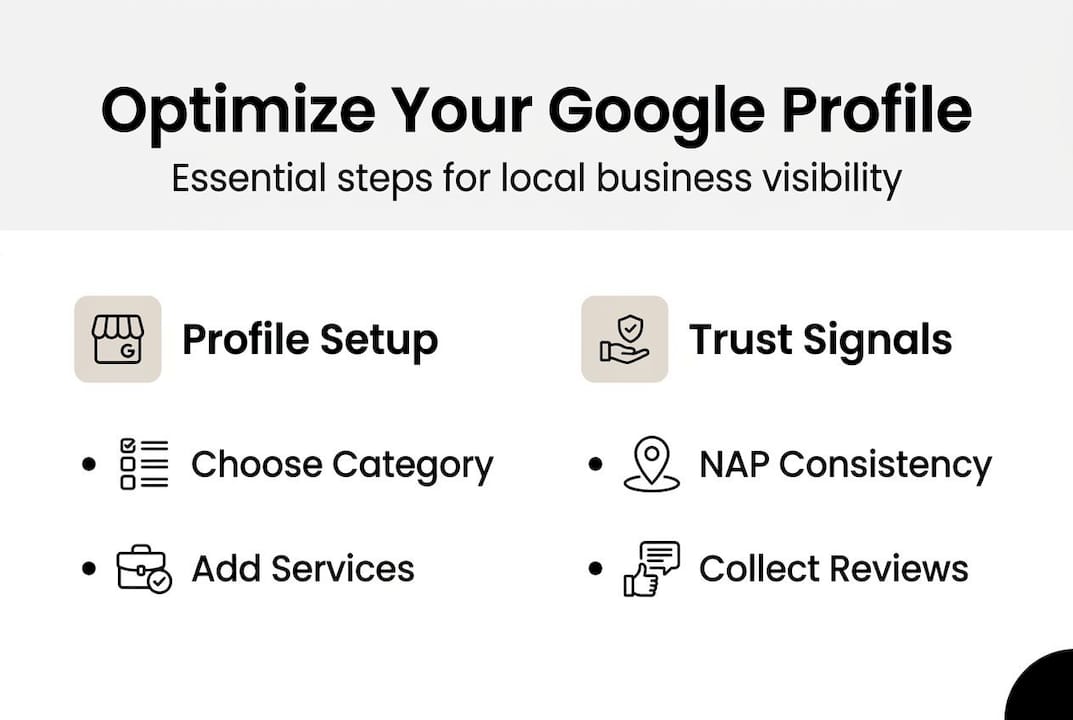
The description field is often underused. Many business owners write one or two vague sentences and move on. Instead, use the full character allowance to describe your services clearly, mention the neighborhoods or cities you serve, and speak directly to the problems your customers are trying to solve. Avoid promotional language like “best in town.” Focus on clarity.
Google offers a Profile Strength tool inside your profile manager that scores your completeness and highlights missing fields. Check it regularly and treat it as your baseline quality indicator.
Pro Tip: Update your hours and attributes whenever your schedule or offerings change seasonally. Stale information erodes trust with both Google and the customers who show up expecting something different.
Building review volume and responding effectively
Completed profiles set the stage, but reviews signal trust and prominence to Google and future customers. The volume of reviews matters, but the velocity, meaning how consistently new reviews arrive, matters even more. A business with 200 reviews that stopped accumulating them two years ago will often rank below a competitor with 40 reviews that receives several each month.
“Review velocity matters more than total count for Google local pack ranking.” — Whitespark Local Search Ranking Factors, 2026
Research shows that 25 to 50 reviews increases the likelihood of appearing in the top three local pack results by 1.4 times. That is a meaningful threshold to work toward. Aim for at least ten new reviews per month once you have your initial base established.
Here is how to build a steady, compliant review system:
- Ask every satisfied customer directly, either in person or through a follow-up message
- Send a review request via email or SMS within 24 hours of completing a job or sale
- Include a direct link to your Google review page to reduce friction
- Rotate your ask across different team members so requests feel personal, not automated
- Never offer incentives in exchange for reviews; Google prohibits it and customers notice
Responding to reviews is equally important. Reply to every review, positive or negative, within 24 to 48 hours. This signals to Google that your business is active and engaged. It also shows prospective customers how you handle feedback, which influences their decision to contact you.
For negative reviews, keep your response calm, factual, and solution-oriented. Acknowledge the experience, offer to resolve it offline, and avoid defensiveness. One thoughtful response to a critical review can actually build more trust than ten five-star ratings with no replies.
You can explore review management tactics that integrate with your broader content strategy to keep your profile active and your reputation growing. Building this into a repeatable system, rather than treating it as a one-time push, is what separates businesses with durable local visibility from those that spike and fade.
Pro Tip: Set up an automated email or SMS sequence that triggers after a completed transaction. Even a simple two-message sequence, one request and one gentle follow-up, can double your monthly review rate without extra manual effort.
Ensuring NAP and citation consistency across the web
In addition to reviews, accuracy on the web ensures Google trusts your business signals. NAP consistency, meaning your Name, Address, and Phone number appearing identically everywhere online, is one of the quieter but more powerful ranking factors in local search. When Google crawls directories, social profiles, and websites and finds conflicting information, it loses confidence in your business data and suppresses your visibility.
NAP errors and proximity are among the leading causes of ranking suppression for local businesses. The fix is methodical but straightforward.
Here is what to audit and correct:
- Google Business Profile: Your master record; everything else should match it
- Yelp, Facebook, Apple Maps: High-authority directories that Google cross-references frequently
- Industry-specific directories: Houzz for contractors, Healthgrades for medical, Avvo for legal
- Your own website: The footer address and contact page must match your profile exactly
- Chamber of commerce listings: Often overlooked but carry meaningful local authority
For service-area businesses (those that travel to customers rather than receiving them at a fixed location), the rules are slightly different. You should still use a real, verifiable address, not a P.O. box or virtual office. You can hide your address from public view in your profile settings while still using it as your verified location. Review the service-area guidance from Google to confirm your setup is correct.
If you operate multiple locations, each one needs its own distinct Google Business Profile. Combining locations under one profile confuses Google and dilutes the relevance signals for each individual address.
Keeping your address and phone updates current across all channels is not glamorous work, but it is foundational. A mismatch in one directory can suppress your ranking across the board.
Pro Tip: Use tools like Moz Local or Yext to scan your business information across dozens of directories at once. These tools identify inconsistencies and, in many cases, let you push corrections from a single dashboard, saving hours of manual checking.
Avoiding common pitfalls and troubleshooting Google Business Profile issues
Even with strong optimization, common mistakes or technical errors can derail your efforts. Here is how to avoid and handle them.
The most frequent and damaging mistake is adding keywords to your business name. It feels intuitive. If your business is “Riverside Plumbing” and you change the profile name to “Riverside Plumbing | Emergency Plumber Chicago,” you might expect a ranking boost. Instead, Google’s 2026 name policies are strict, and that kind of addition can trigger an automated suspension that removes your profile from Maps until you appeal and correct it.
“Wrong category kills relevance. Strict 2026 name policies are in effect across all Google Business Profiles.”
Here is a numbered list of the most common pitfalls and how to address each one:
- Keyword-stuffed business name: Revert to your legal business name immediately and submit an appeal if suspended
- Wrong primary category: Update to the most specific, accurate category and monitor for two to four weeks
- Incomplete profile fields: Use the Profile Strength tool to identify gaps and fill them systematically
- Duplicate listings: Search for your business name and address in Google Maps and request removal of any duplicates
- Outdated hours or address: Update immediately and check that changes propagate across your other directory listings
Hybrid businesses, those that serve customers both at a physical location and at the customer’s location, are permitted to set up their profile accordingly. You can list a storefront address and also define a service area. The key is accuracy. If you describe yourself as a storefront business but have no physical space for customers to visit, that is a policy violation.
If your profile is suspended, do not panic. Review your profile for any policy violations, correct them, and use the Google Business Profile Help center to submit a reinstatement request. Document every change you make during this process.
Pro Tip: Keep a simple log of every change you make to your profile, including the date and what was altered. If something goes wrong, this record helps you identify what triggered the issue and speeds up the troubleshooting process.
The uncomfortable truth most local businesses miss about Google Business Profile
With the technical steps done, here is a deeper take on why certain actions matter more than others and how to make your optimization stick.
Most local businesses spend their energy on the visible, surface-level elements of their profile. They upload a few photos, write a short description, and consider the job done. What they consistently underestimate is the compounding power of category precision and review velocity, the two factors that shape Google ranking more than almost anything else.
The uncomfortable reality is that a business with a perfectly written description and beautiful photos will still lose to a competitor with a sharper category selection and a steady stream of recent reviews. Google is not reading your prose. It is reading signals. And the two loudest signals are relevance (driven by category) and trust (driven by consistent review activity).
We have seen businesses spend weeks tweaking minor details while leaving their primary category set to something vague from when they first created the profile three years ago. That single correction, taking five minutes, would have done more than all the other changes combined.
The practical solution is to build a quarterly Google Profile maintenance routine. Every three months, review your category, check your NAP consistency, audit your photo count, and assess your review velocity. Treat your profile as a living asset that needs regular attention, not a one-time setup that runs on autopilot. That mindset shift is what separates businesses with durable local visibility from those that wonder why their rankings keep fluctuating.
Next steps: Solutions to elevate your online presence
To convert your improved visibility into real sales, here is where you can get targeted support and next steps.
Optimizing your Google Business Profile is a strong foundation, but it is only part of the picture. When a customer finds you on Maps and clicks through to your website, what they encounter next determines whether they contact you or leave. Weak messaging, unclear calls to action, and outdated content all work against the visibility you worked to build.
Stonington Media helps local businesses close that gap. From clear website messaging that turns visitors into leads, to a full website update for leads that aligns your online presence with how customers actually make decisions, the work is practical and outcome-focused. If you are ready to make your improved Google visibility count, explore how marketing communications support can help you build a consistent, converting presence across every channel.
Frequently asked questions
How long does it take for Google Business Profile changes to affect visibility?
Category or service changes typically take two to four weeks to reflect in local rankings and Map pack results, so monitor steadily before making additional edits.
What is the best way to get more Google reviews fast?
Send automated email or SMS requests immediately after a completed job and reply to every review within 24 to 48 hours, which signals engagement and encourages more customers to leave feedback.
Does adding extra keywords to my business profile name help with rankings?
No. Keyword-stuffing your name violates Google’s 2026 policies and can result in a suspended profile, which removes you from Maps entirely until the issue is corrected.
How many photos should I add to my Google Business Profile?
Aim for at least 50 photos. Businesses that reach this threshold see 520% more direction requests compared to profiles with fewer images, making photos one of the highest-return profile investments.
Are separate profiles needed for each business location?
Yes. Google requires a distinct profile for each physical location to maintain accurate information and ensure each address ranks independently in local search results.
Recommended



Additional Reading:
- What is professional screenplay coverage (and do you actually need it?)
- What is professional screenplay coverage, really?
- How to Know If Your Screenplay Concept Is Strong Enough
- Why Most Second Acts Collapse (And How Coverage Detects It)
- How Professional Readers Evaluate Character Arcs
- Is Your Script Marketable?
Indexes: